-
01
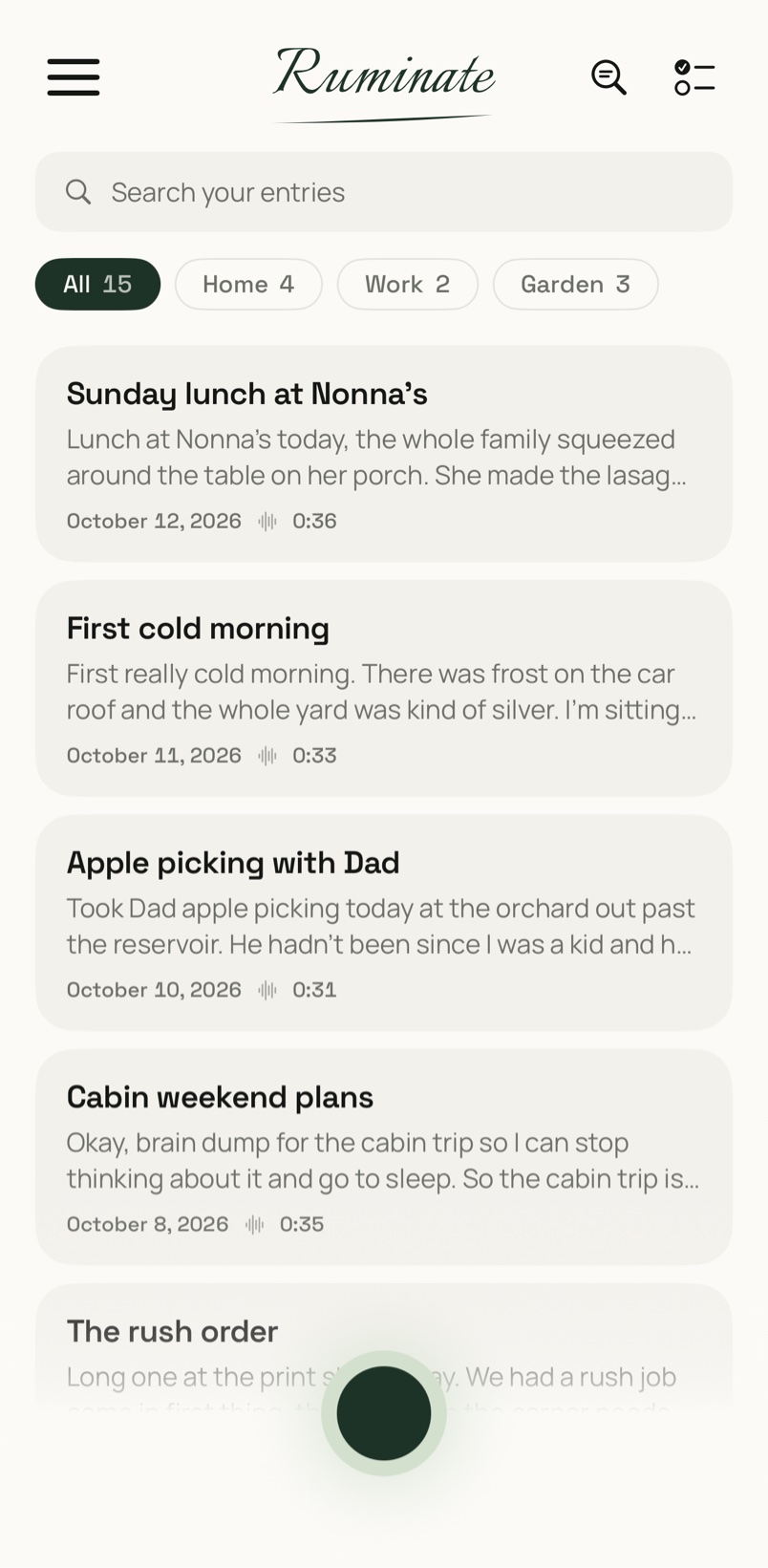
Each entry gets a title, and you can sort entries into sections and search every word you've ever said. It's a notebook, not a feed.
-
02
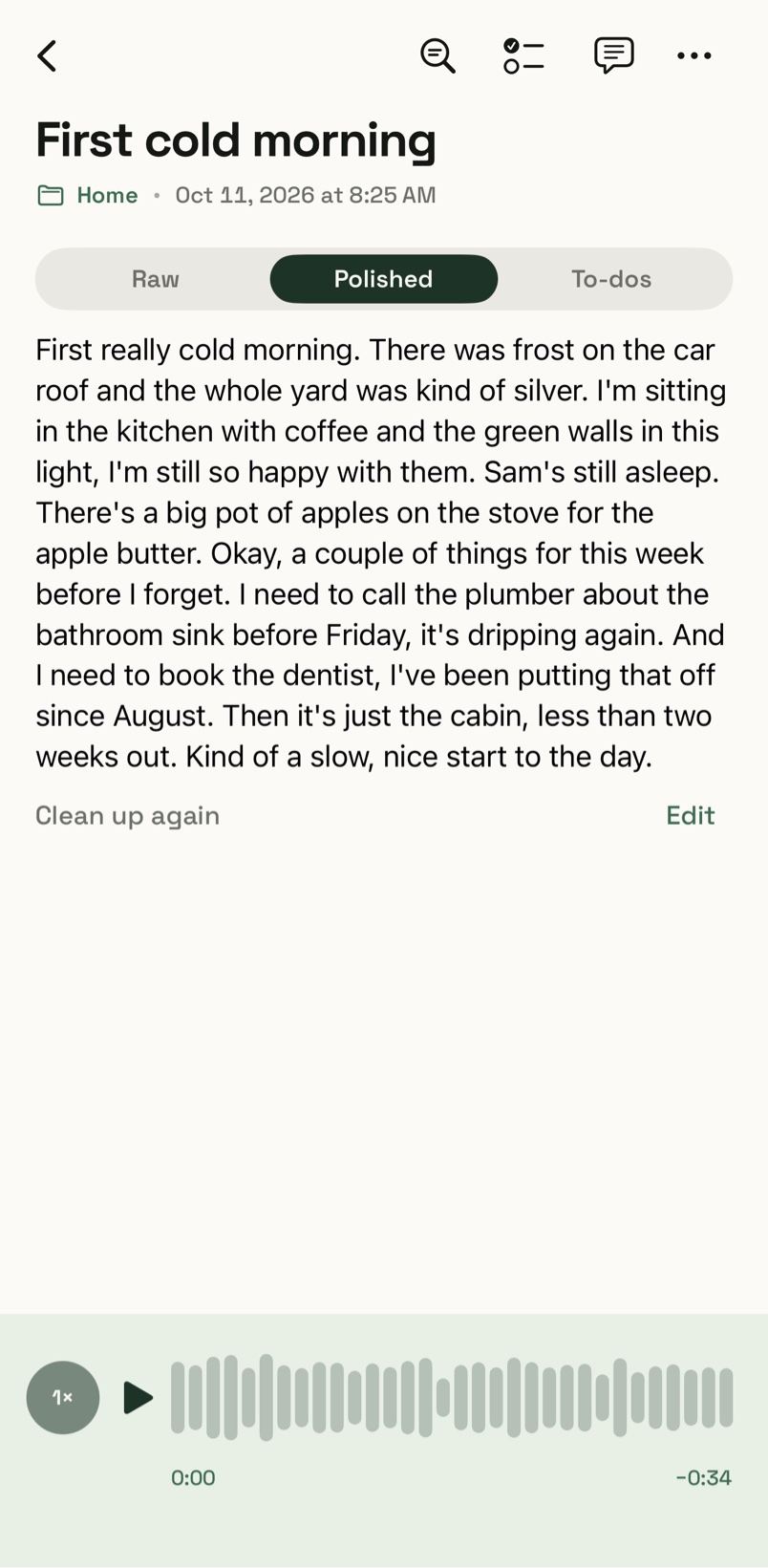
What you said is saved exactly as it was transcribed, and that version is never changed. Clean up writes a tidied copy beside it, with the ums gone and the sentences whole, and you can switch between the two.
-
03
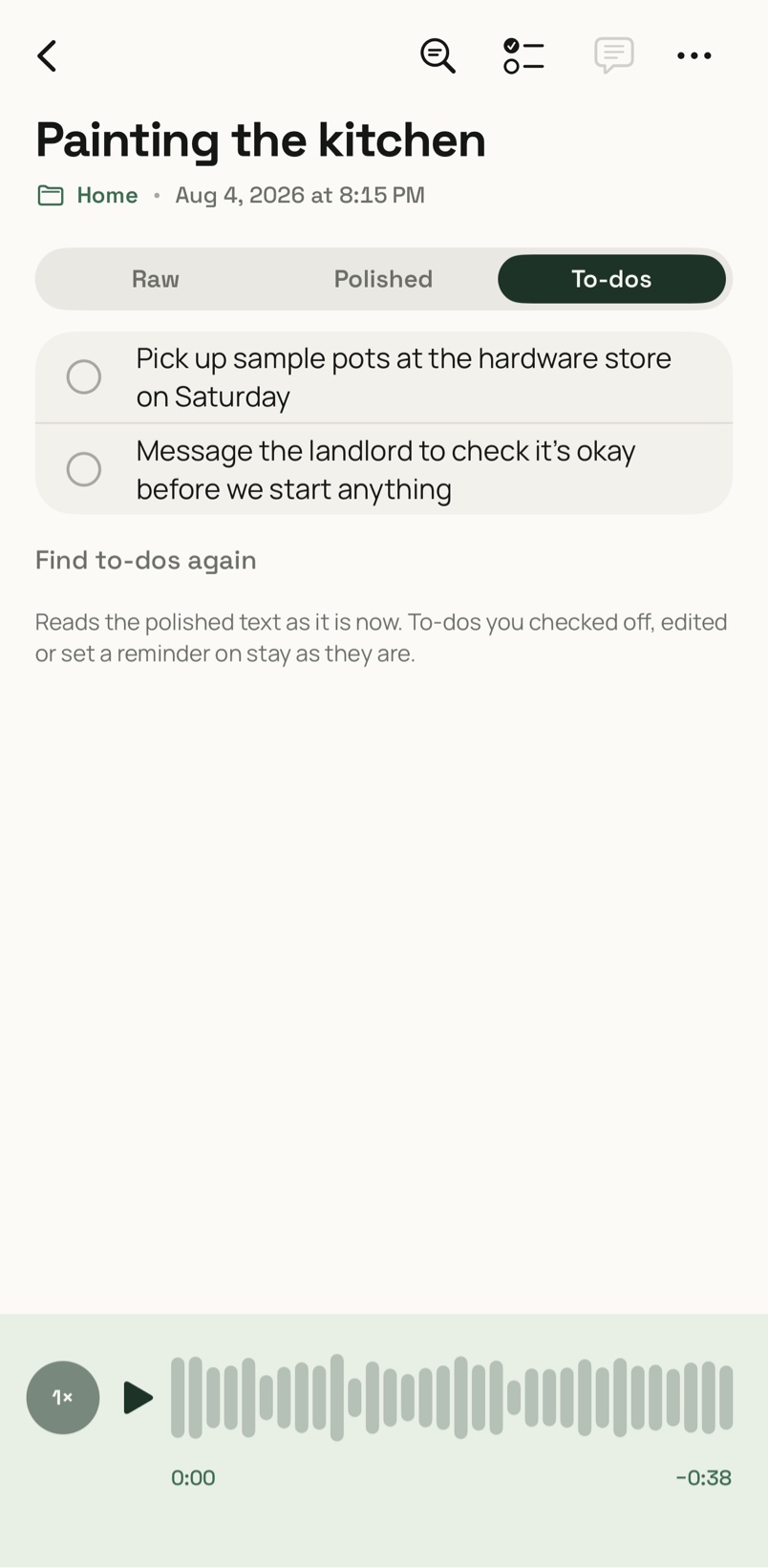
Mention something you need to do and Ruminate picks it out, then adds it to one list across all your entries. Tick it off, or set a reminder.
-
04
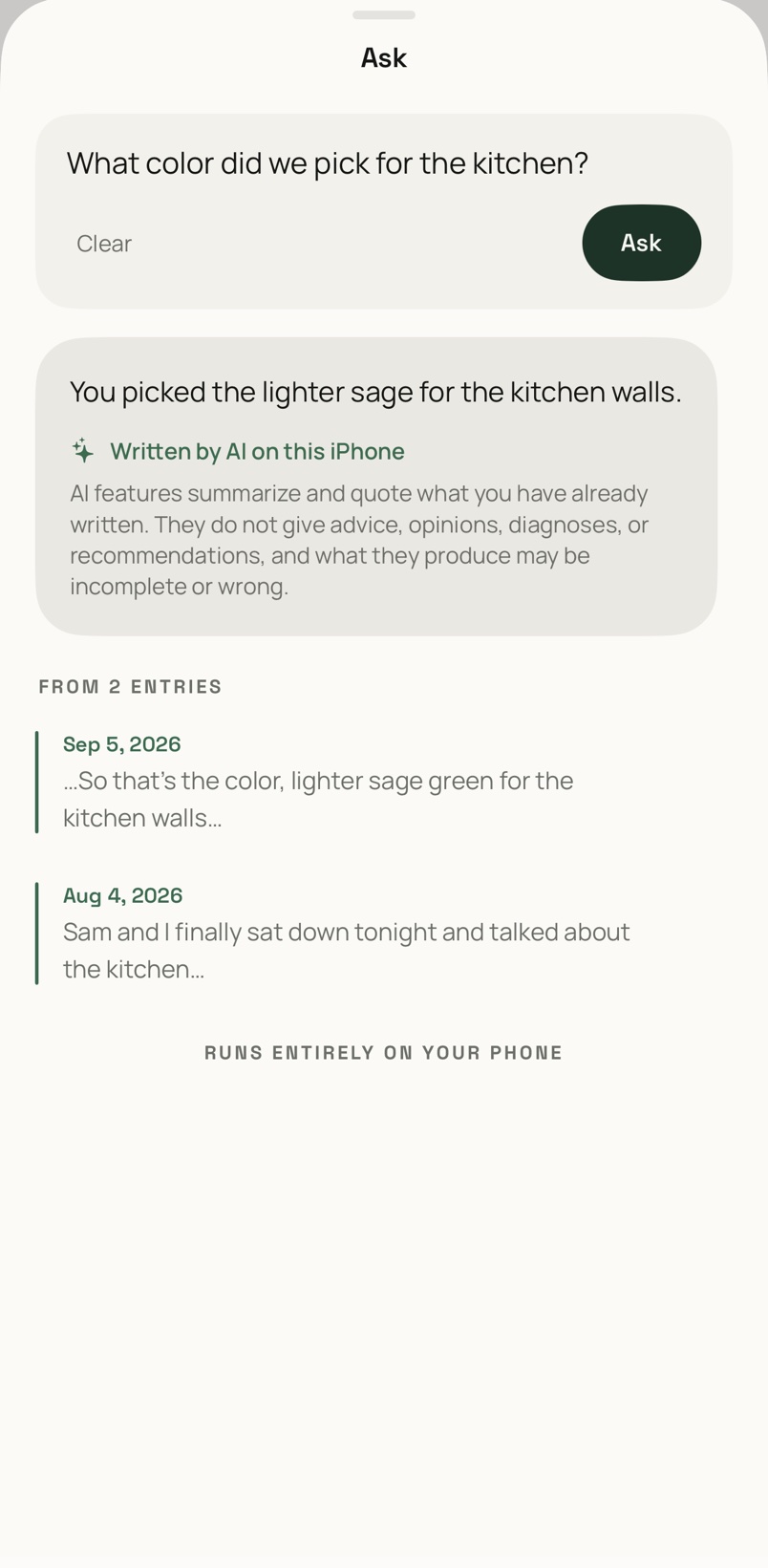
Ask one question about what you've already said. The answer quotes your own entries and links back to them, and it's worked out entirely on your iPhone.
A private voice journal
Say it out loud. Keep it to yourself.
Download from theApp Store
How it Stays Private
Recording0:00
Walked the long way to the station this morning, because the fog was sitting right on the river and I didn't want to miss it.
The fog on the riverToday, 7:42 AM
How it works
No prompts to answer. No streaks to keep.
The green button records. Tap it again when you're done. Everything after that happens on your phone.
Try it
You talk. It notices the to-dos.
Painting the kitchen
Sam and I finally talked about painting the kitchen. We keep saying we will and then another month goes by. We landed on a soft green, something close to sage, with the cupboards staying white. I think it'll make the mornings feel lighter. I need to get sample pots on Saturday and email the landlord to check it's okay before we start.
- Get sample pots on Saturday.
- Email the landlord to check it's okay before we start.
Found on the phone by Apple's on-device model. Go on, tick one off.
Languages
Say it the way you actually say it.
If your English has Spanish or Italian in it, so does your entry. Whisper, running on your iPhone, keeps the other words where you said them.
Works with Spanish, Italian, Portuguese, Polish and more. See every language it works with.
Mum, then Marco
Walked home the long way and rang Mum. She's fine, hasta el domingoSpanish she said, after twenty minutes on the neighbours' hedge. Then lunch with Marco, who said piano pianoItalian every time I tried to hurry him.
Privacy
There is no server.
We don't have a private server, or an encrypted one. Your entries and recordings live on your iPhone, and we couldn't read them even if we wanted to.
0 accounts to make
0 servers of ours
0 analytics or trackers
0 ads, ever
Transcribed on your iPhone
OpenAI's open-source Whisper model ships inside the app and turns your voice into text on the device. Your audio is never sent anywhere to be transcribed.
AI that stays on the device
Clean up, to-dos, reflections and Ask use Apple's on-device model, through Apple Intelligence. There's no third-party AI and no cloud.
Locked from the start
App Lock turns on with Face ID or your passcode, and the screen is covered whenever you leave the app, so nobody sees it in the app switcher.
Kept out of iCloud, on purpose
Entries and recordings are left out of iCloud and device backups, so they're never copied anywhere you didn't choose. You make your own encrypted backup instead.
Deleted means gone
Delete an entry and it's erased from the phone right away. There's no server copy left behind. You can also set an entry to disappear on its own after 24 hours, 7 days or 30 days.
One question to the internet
The only thing Ruminate asks the internet is Apple's purchase check: is Pro active? That check carries none of your journal and nothing that identifies you to us.
The honest part
Private has a price. Here it is.
- Your journal lives only on your iPhone. If you lose the phone without a backup, the journal is gone, and nobody, including us, can bring it back.
- So Ruminate makes you an encrypted backup: one file with your entries, recordings, reflections and to-dos, locked with a passphrase you choose (AES-256). You keep it wherever you like.
- The backup is free, always, with or without Pro.
- Forget the passphrase and the file can't be opened. Not by you, not by us, not by anyone. We'd rather tell you now than later.
And the rest
Small things, done carefully.
Read Aloud
Hear any entry read back to you in a voice that's already on your iPhone.
Disappearing entries
Some things only need saying once. Set an entry to erase itself after 24 hours, 7 days or 30 days.
Reflections
A daily or weekly recap of what you talked about, in your own words.
My Words
Teach it the names and words it keeps getting wrong.
Search every word
Find anything you've ever said, across every entry.
Sections
Sort entries into sections, named however you like.
App Lock
Face ID or your passcode, every time you come back.
Record from the Home Screen
A widget starts a recording in one tap, and a Live Activity keeps the timer in view.
Take it with you
Export any entry as a PDF, Markdown or plain text, or your whole journal as one encrypted backup.
Pricing
Try it for free.
Start with everything, free.
Start the free trial when you set the app up, and every feature is open. It costs nothing and never renews. When it ends, you choose whether to get Pro.
Pro Monthly
$3.99/ month
Renews every month until you cancel.
Pro Yearly
$14.99/ year
Renews every year until you cancel.
Pro Lifetime
$49.99once
Pay once. No renewal.
Without Pro, you can't make new recordings or use Clean up, to-dos, Ask, reflections, Read Aloud, re-transcription or new sections. What you've already recorded never locks:
Read every entryPlay every recordingSearch everythingExport anythingEncrypted backup & restoreDelete anything
Prices shown are in US dollars, and the App Store shows the price in your country. Subscriptions are billed by Apple to your Apple Account and renew automatically until you cancel. Cancel any time in your Apple Account's subscription settings. Cancelling stops the next renewal, and you keep Pro until the end of the period you've paid for. Refunds are handled by Apple. See our Terms of Use and Privacy Policy.
Questions
Good to know.
Does Ruminate need an internet connection?
No. Recording, transcription and the AI features all work offline. The app goes online only to check your purchase with Apple.
Which iPhone do I need?
Ruminate needs iOS 26. Clean up, to-dos, reflections and Ask use Apple Intelligence, which needs iPhone 15 Pro or later with Apple Intelligence turned on. Without it you can still record, transcribe, search and play everything back.
Can anyone else read my journal?
No. There's no account and no server, so there's nothing of yours for us, or anyone we work with, to see. Your journal stays on your phone behind App Lock. It only goes somewhere else if you export it yourself.
What happens if I lose my phone?
If you made an encrypted backup and kept it somewhere else, restore it on your new iPhone and everything comes back. If you didn't, the journal is gone. That's the trade for keeping it off every server, and it's why the backup is free. How to back up.
How do I cancel?
Open Settings on your iPhone, tap your name, then Subscriptions, then Ruminate. Cancelling stops the next renewal, and you keep Pro until the end of the period you've paid for. Deleting the app doesn't cancel a subscription.
Is there a version for Android, iPad or Mac?
Not at the moment. Ruminate is made for iPhone.
More answers on the Support page.
Say the first thing.
Try everything for free.
Download from theApp Store